Give each part a home
Record agents, workflows, processes, skills, instructions, knowledge sources, connectors and MCP servers. Keep an owner, purpose, version and next review date beside each one.
Improve · Environment
Bring workflows, instructions and knowledge references together. Know what each one is for, who looks after it and what depends on it.
Organise my AI setupFree. No card. No call. No credentials needed to start.
Architecture · Make the connections clear
A support workflow uses an instruction set. That instruction set relies on the team’s policy notes. Record those links once, so the next review has the whole context.
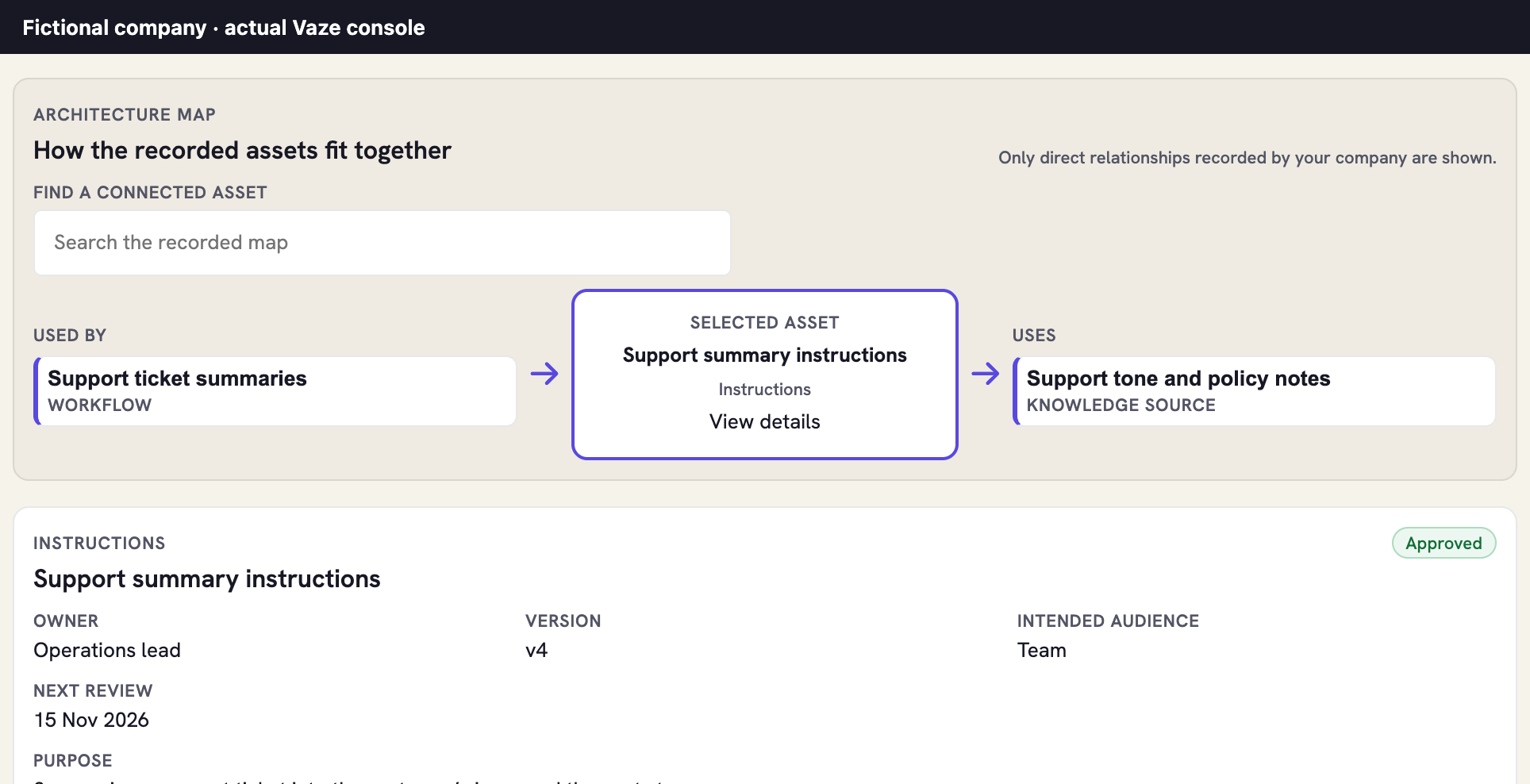
Record agents, workflows, processes, skills, instructions, knowledge sources, connectors and MCP servers. Keep an owner, purpose, version and next review date beside each one.
Link the assets that depend on each other. Record a review and its decision, then see which directly linked records changed since that review.
Add a Google Drive file or folder reference and open the original from the record. Keep the knowledge in Google and its ownership and review in Vaze.
Optimisation · Decide from results
Try two models, effort settings or instruction versions on the same task. Run the tests with your own authorised tools, then record both results beside the relevant asset in Vaze.
Compare attempts and passes, total input and output tokens, API cost and latency—including retries. Keep observations and estimates clearly labelled, so the decision starts from evidence.
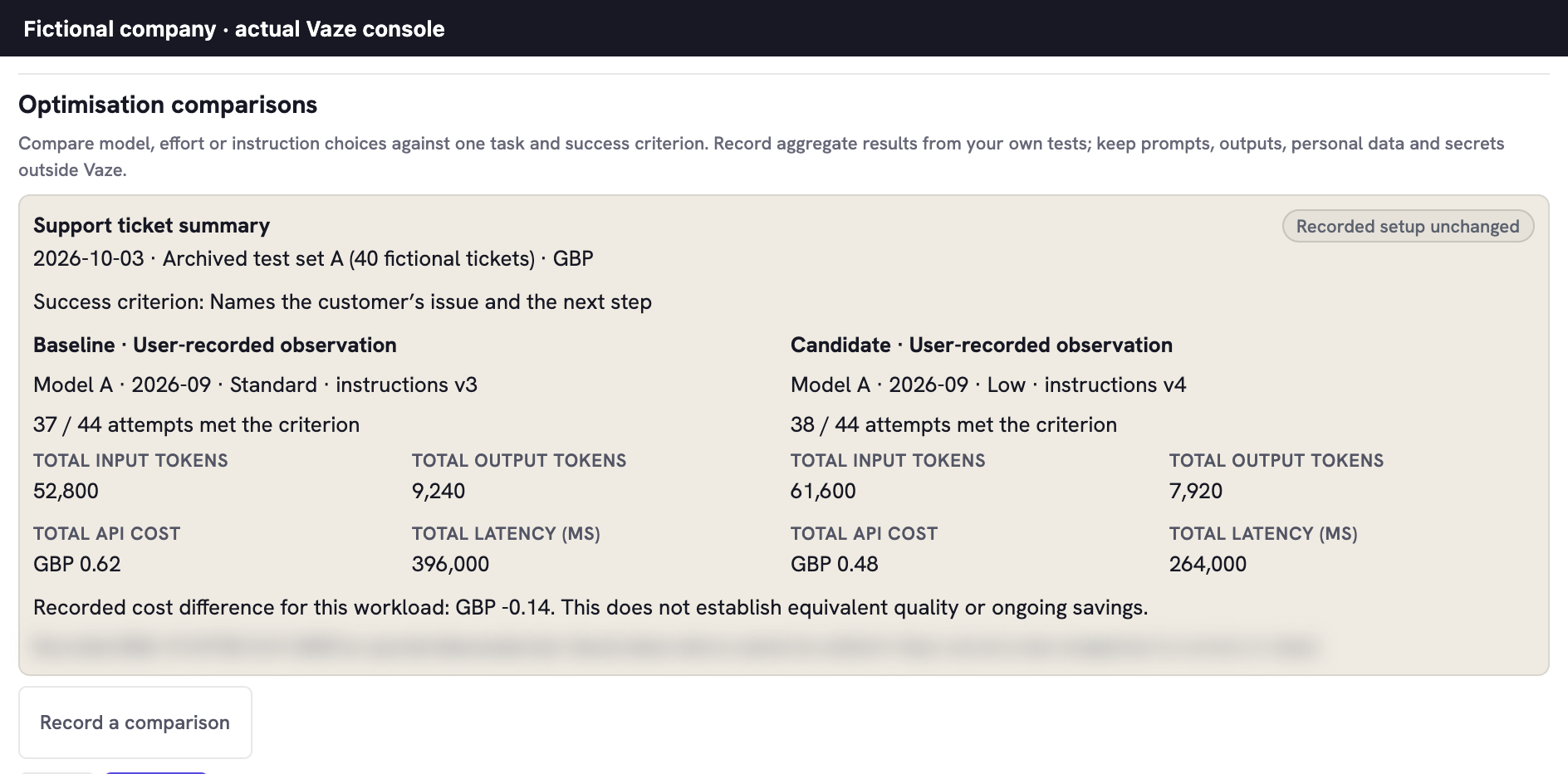
When the recorded setup or status of the asset or a directly linked record changes, the comparison shows Setup changed · retest. Run the workload again and record a fresh comparison.
How to make a fair comparisonStraight answers
Open More → Environment and choose Add asset. Give it a name, kind, owner, purpose, version and review date, then link the recorded assets it uses. Open the asset’s details to record a review or an Optimisation comparison. Saving requires company write access and the asset must not be retired.
No. Your team runs tests outside Vaze and enters aggregate results. Vaze keeps those comparisons with the relevant records; it does not execute workflows, route requests or select a model. Enter labels and totals, not prompts, outputs, private test sets or secrets.
No. Google Drive references open the original file or folder with your existing Google access. Vaze records the reference, not its contents. Dependency and retest checks compare Vaze records and their direct links, not changes inside files, prompts or external systems. Update the record when the underlying setup changes.
API cost fields and currency require Spend access, both when recording and reading a comparison. Other authorised users can see the remaining aggregate comparison fields, with costs marked Withheld · Spend access required. Subscription and seat costs belong in Spend, separately from a workload’s API cost.
Saved observations cannot be edited. Record a new comparison for a correction or a fresh test, keeping the earlier result with its date and setup.
Sign in with Google or a Microsoft work or school account. Name your company, record the setup and build from there.
Get started free