See who has access
People and seats across your connected AI tools in one view, so you know who can use what.
Secure
See who has access to your AI and which apps are connected to company accounts, catch risky keys early and close access properly when people leave.
Get started freeFree. No card. No call.
People and access
58 people Google Workspace connected
People and seats across your connected AI tools in one view, so you know who can use what.
See each key’s scope, age and last use where the provider shares them. Keys open to your whole organisation, or unused for 90 days or more, are flagged.
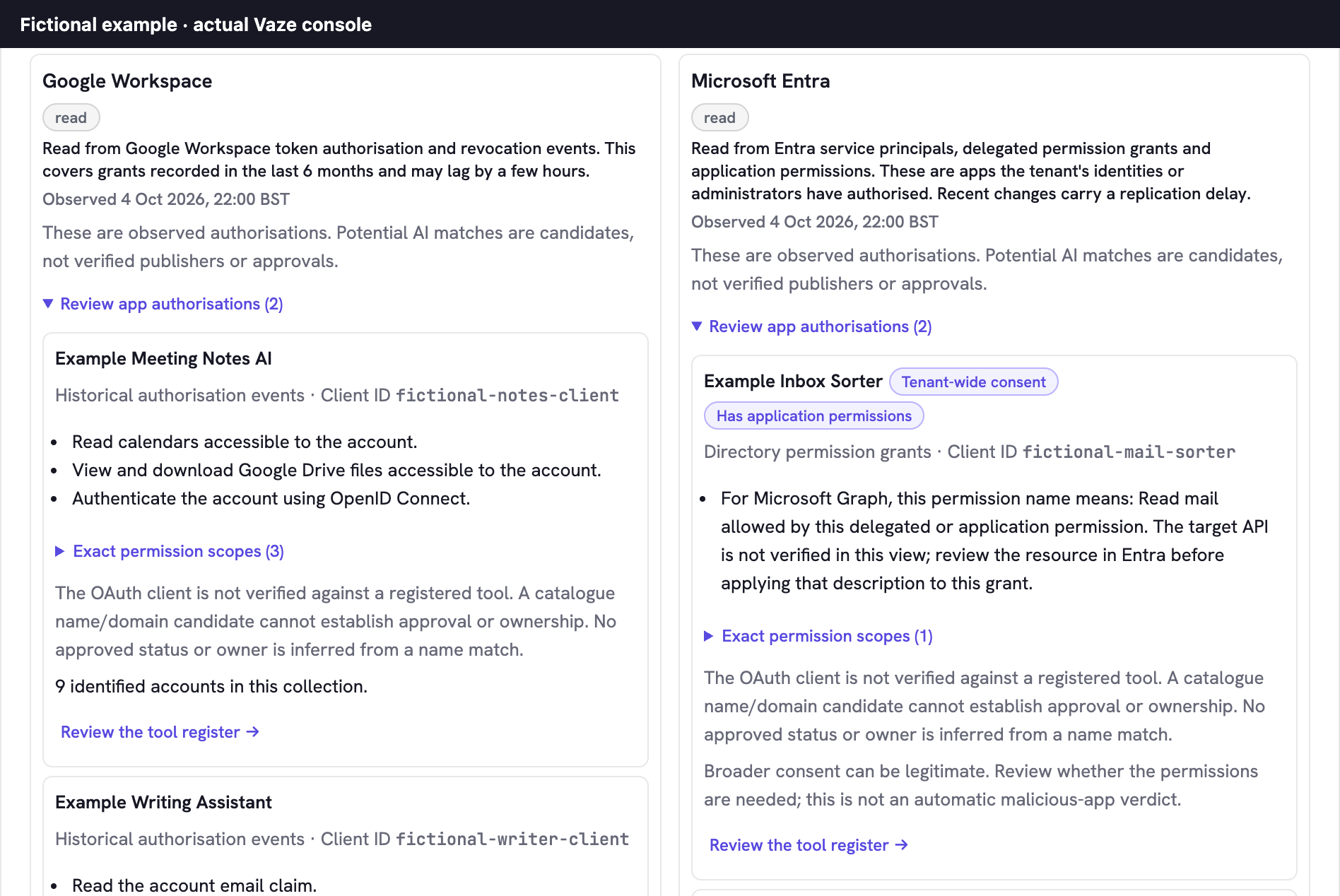
Apps people have authorised with their Google Workspace or Microsoft account, with the permissions each was granted, so you can review unfamiliar ones.
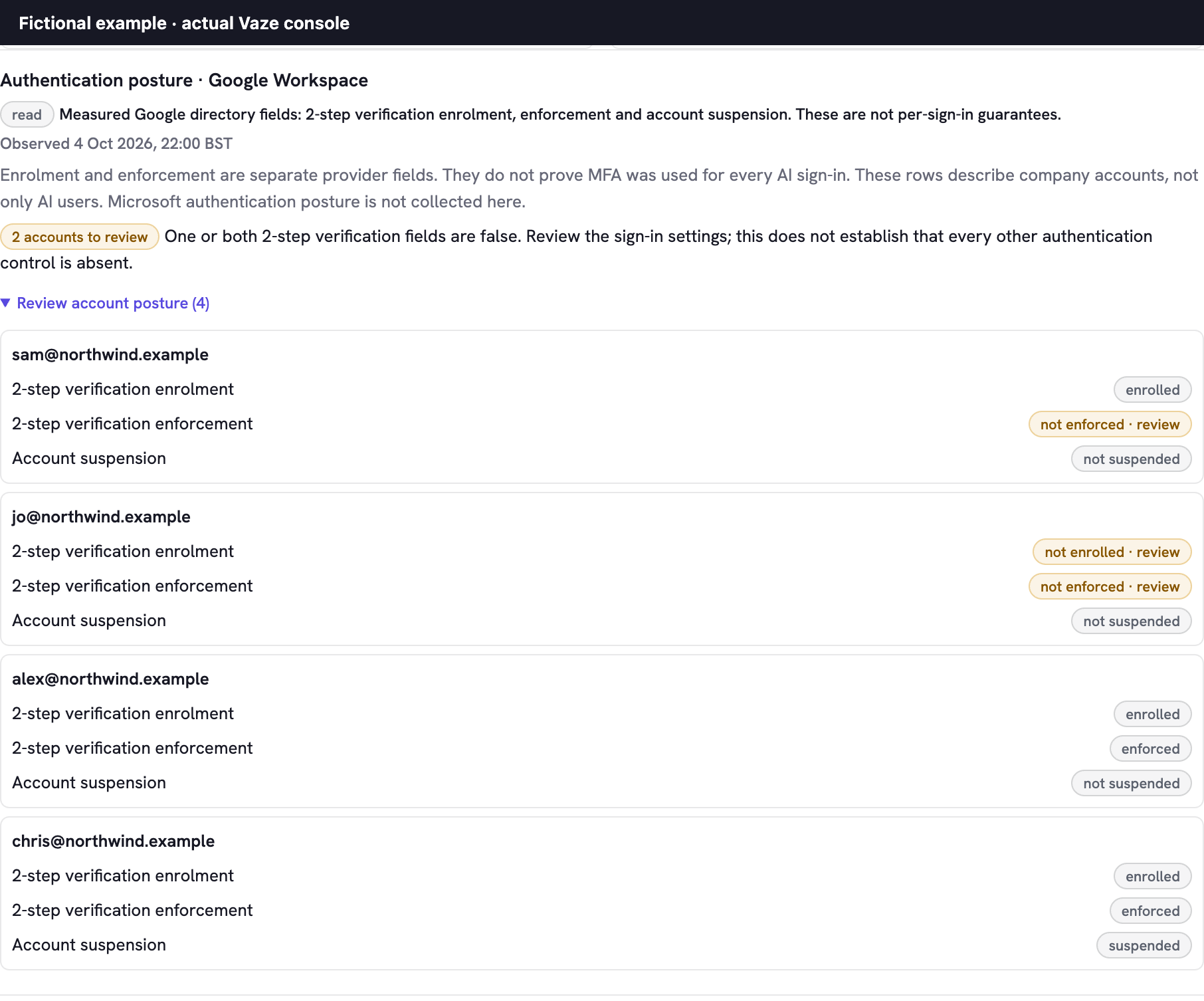
For Google Workspace, see who has 2-step verification turned on and where it is enforced, shown as two separate checks.
Group a leaver’s access across your connected tools into one request.
Approve changes, complete the removal in the vendor console, then check supported outcomes in Vaze.
In the console
Protection brings two kinds of company-account evidence into one place, so the person looking after AI can decide what stays.
For Google Workspace, Vaze lists apps from the last six months of authorisation events, with the permissions each requested. For Microsoft Entra, it lists apps with directory permission grants, and marks consent given for the whole organisation or to the app itself rather than a person.
Each permission is explained in plain words, so you can spot an unfamiliar app that asks for Drive, mail or file access. For Microsoft, Vaze shows the permission name and its usual meaning; confirm which API it applies to in Entra.
For connected Google Workspace, Vaze reads each account’s 2-step verification enrolment, whether it is enforced, and whether the account is suspended, as separate facts. Accounts where either check is off are counted so you can review them.
These are Google directory settings. They are not a record of every sign-in, and Microsoft sign-in settings are reviewed in Entra.
Straight answers
From the admin APIs of the AI accounts you connect. Vaze shows people, seats and API keys, including scope and last use, wherever the provider shares them.
No. Vaze reads admin, billing and usage information from the accounts you connect. Prompts, conversations, documents, email and source code stay out of it.
No. A person on your team approves every change first. Where Vaze can’t make a change directly, it takes you to the right page in the provider’s console.
For connected Google Workspace accounts, Vaze reads each person’s 2-step verification enrolment and whether it is enforced. A short list of AI essentials, such as a named owner, company sign-in and an AI rulebook, records what your team confirms, kept separate from what Vaze measures.
For Google Workspace, apps from the last six months of authorisation events with company accounts. For Microsoft Entra, apps with directory permission grants, including consent for the whole organisation and application permissions. Vaze reads these with an administrator’s permission and doesn’t change them. Personal accounts and browsing aren’t part of this view.
No. Vaze shows the evidence and links to Google Admin or Microsoft Entra, where your administrator makes any change. Record the decision in Vaze and refresh to see the latest read.
Sign in with Google or Microsoft, name your organisation and connect an AI account when you’re ready. Free, with no card.
Get started free